The bill-splitting app built for roommates
Split rent, utilities, groceries, and shared subscriptions. Without the passive-aggressive group chat or the one friend quietly keeping a ledger in their Notes app.
The problem
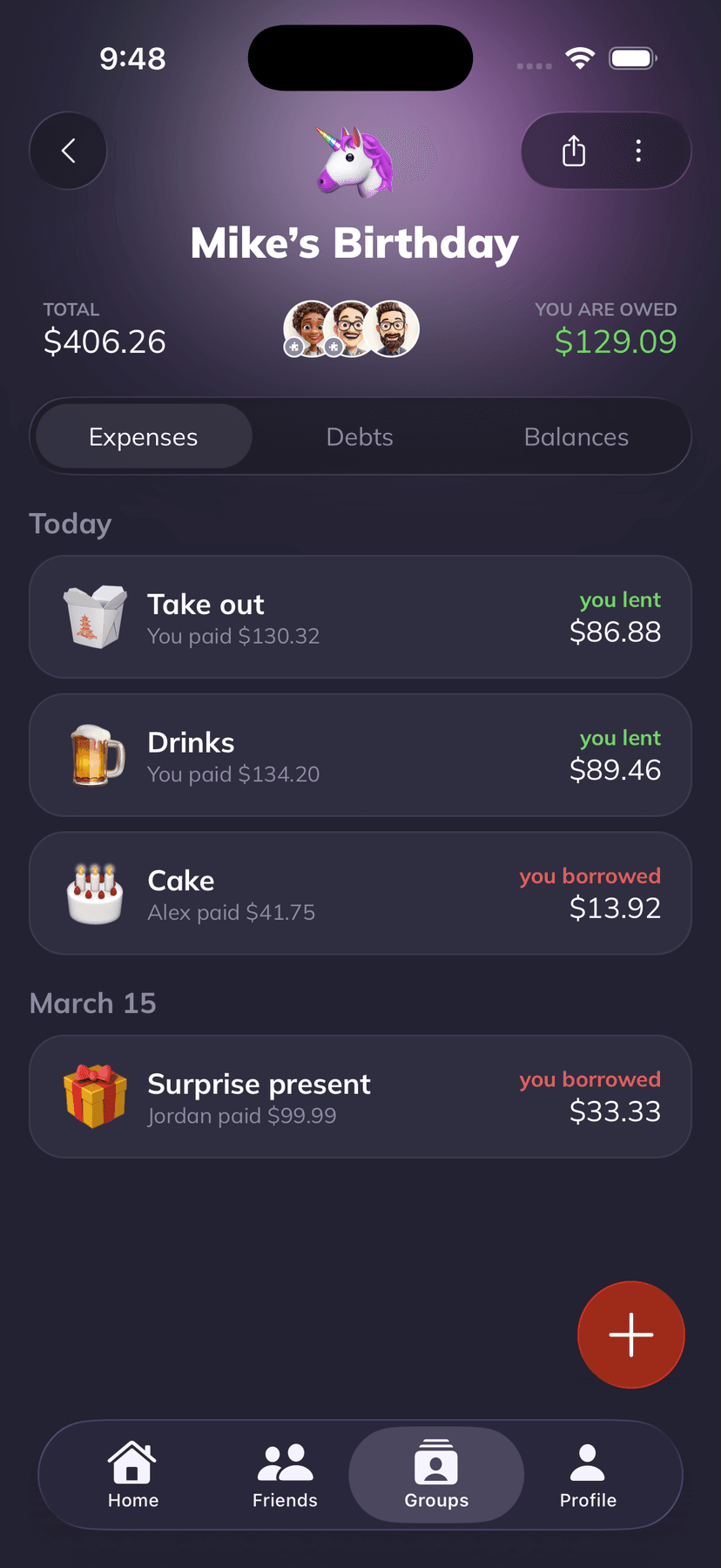
You already know the drill. Someone forgets to send the $35 electric bill, one roommate always ends up covering the pizza and then feels weird bringing it up, and the group chat slowly turns into a passive-aggressive ledger nobody wants to scroll. Money stuff between roommates isn't hard because people are bad, it's hard because nothing is written down in one place.
Built for roommates
Everything you need. Nothing you don't.
01
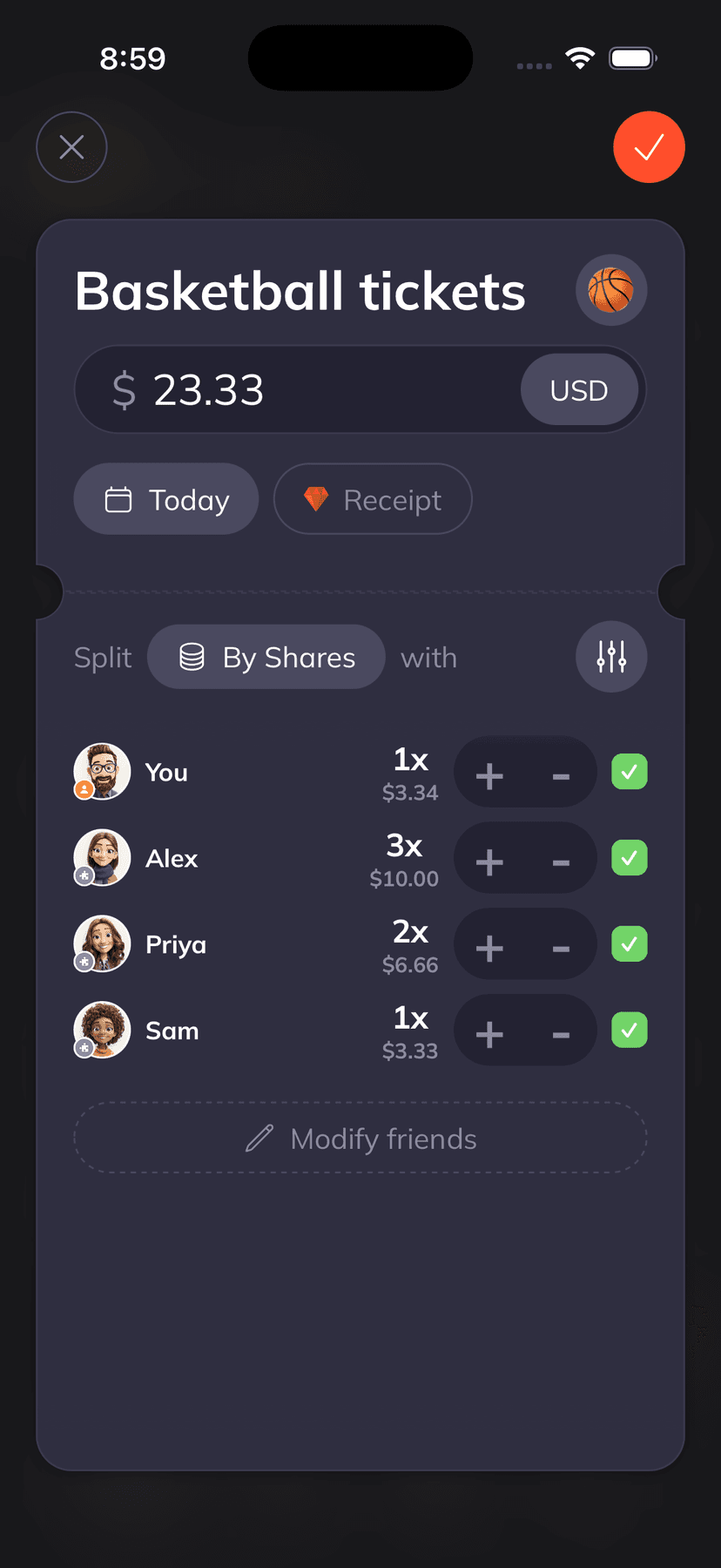
Monthly rent, split your way
Set the rent split once (equal, by bedroom size, by income, whatever your house agreed on) and Supasplit remembers. Every month you log the same expense with the same ratio, no mental math and no awkward re-negotiations.
02
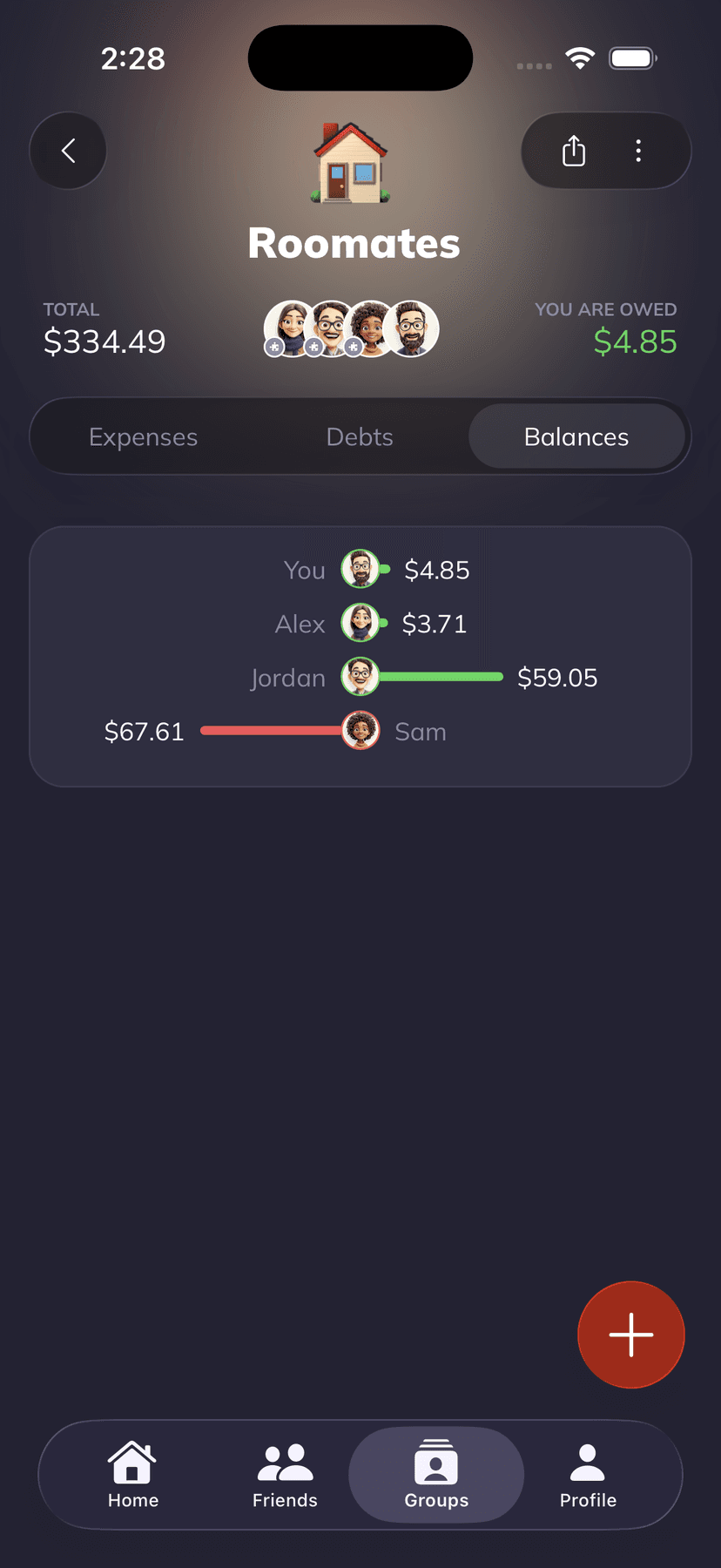
Utilities and shared bills
Electric, internet, water, gas. Drop each bill in as you get it and Supasplit shows running balances per roommate. No more hunting through Venmo history to figure out who paid for internet three months ago.
03
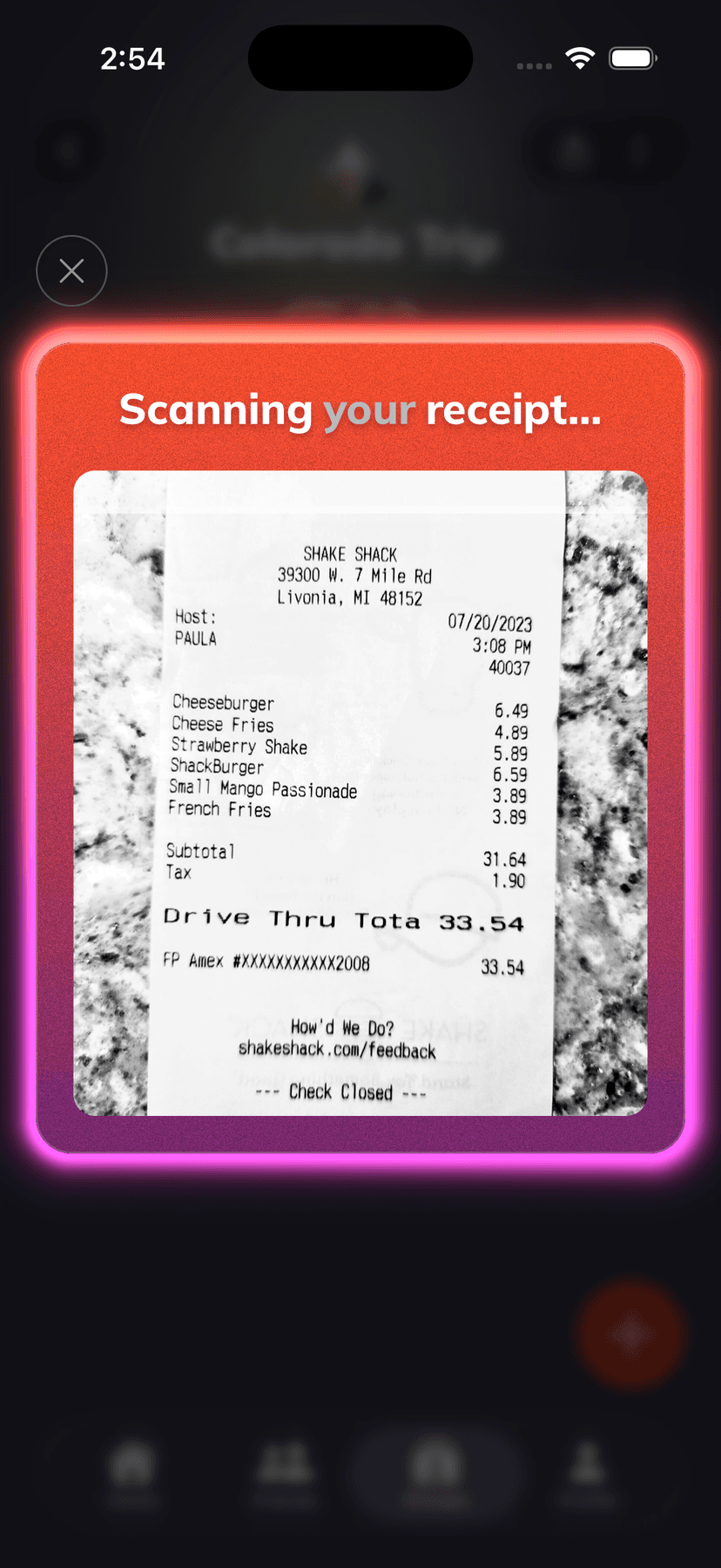
Groceries and household runs
Scan the receipt from the grocery run and Supasplit reads every line item. Toss the paper towels on the apartment split, keep your personal snacks off the shared tab. Takes about 15 seconds.
04
Shared subscriptions
Netflix, the shared Spotify Duo, the streaming service someone signed up for during playoffs. Track the recurring cost so everyone sees what they're actually paying for, not just the one person whose card is on file.
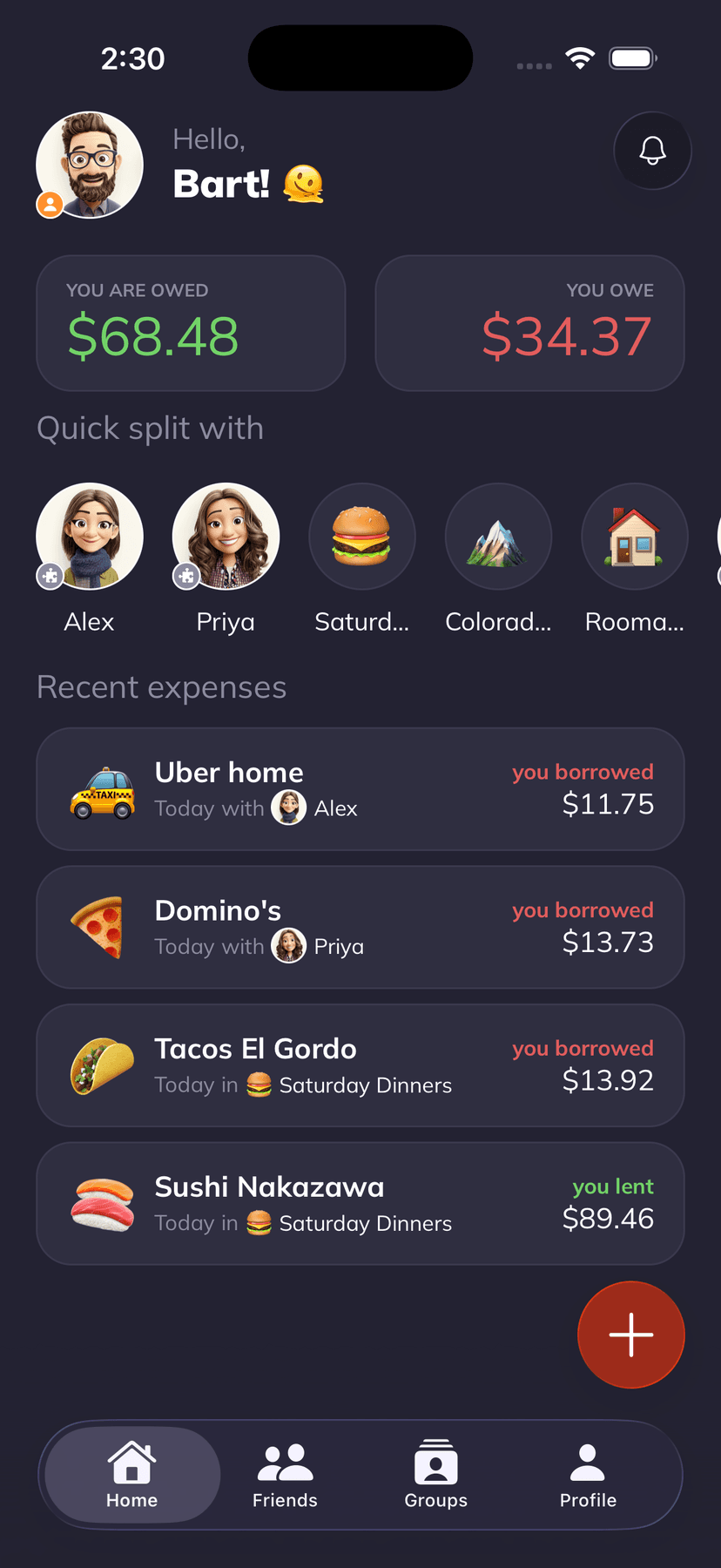
Why it works
Features you'll actually use
Proportional or by-room rent
Custom split ratios for rent, so the bigger bedroom or the higher earner can pay more. Set it once, reuse every month.
AI receipt scanner
Snap a grocery or hardware-store receipt and Supasplit pulls out every line item. Assign each thing to whoever it belongs to without retyping anything.
Gentle reminders
Let the app nudge your roommates when balances are owed so you don't have to. You stay the chill one, Supasplit plays bad cop.
Shared subscriptions tracking
Log Netflix, Spotify, iCloud, and whatever else the house pays for. Everyone sees the true running cost of "the apartment" each month.
Every split method you need
Equal, unequal, percentage, shares, or itemized. Works for weird months too (someone was away for a week, one roommate doesn't drink coffee, etc.).
No ads, no paywalled math
The free tier has no ads and no upsell popups. Core features like split methods and balances are never behind a paywall.
What you get
A cleaner life, one receipt at a time
- ✓Proportional rent done automatically, set the ratio once and forget it
- ✓Friendly automated reminders so you're not the bad cop in the apartment
- ✓AI reads your grocery receipts so nobody argues over the paper-towels line
- ✓Shared subscriptions in one view, no more "wait who pays for Netflix"
- ✓Every balance is visible to every roommate, no hidden ledger in someone's Notes app
- ✓Free for small apartments, $3.99/mo for unlimited everything
How it looks in real life
Real scenarios, real math
The grocery run
You do the Trader Joe's run for the apartment. On the walk home, open Supasplit, snap the receipt, and tap the items that are truly shared. Everything else stays yours. Total time: about 20 seconds.
The utility bill with a WFH roommate
Electric is higher this month because one roommate is home on calls all day. Apply a 60/40 split once and save it as the default for that bill. Every future electric bill lands with the right ratio, no re-negotiation.
Move-in weekend
Three IKEA trips, a hardware store run, and a truckload of cleaning supplies. Drop each receipt into the apartment group as you go. By Sunday night you have a clean breakdown of who's owed what, no spreadsheet required.
The birthday cake for roommate #4
Three of you chip in for a cake. Add it as a one-off expense split three ways and exclude the birthday roommate. Small thing, but no awkward "you owe me six bucks" text later.
Thinking about alternatives?
How Supasplit compares
 supasplitvsSplitwise
Splitwise is the cross-platform workhorse with a huge user base. Supasplit is the modern iOS-native alternative with AI receipt scanning, voice expense entry, and no ads. Pick Splitwise if your group is split across Android and iOS or you need web access. Pick Supasplit if you want the fastest, cleanest experience and you're all on iPhone.
See the comparisonsupasplitvsTricountTricount is the friendly European pick: genuinely free for core splitting, cross-platform, and simpler than Splitwise. Supasplit is the modern iOS-native alternative with AI receipt scanning, voice expense entry, and real personalization. Pick Tricount if your group is on mixed devices and you want free-forever basics. Pick Supasplit if you're all on iPhone and want faster entry, line-item receipts, and a polished app.
See the comparisonsupasplitvsSettle UpSettle Up is the straightforward, affordable alternative to Splitwise, strong on recurring expenses and clean UX. Supasplit is the modern iOS-native option with AI receipt scanning, voice expense entry, and no ads on any tier. Pick Settle Up if your group is mixed Android and iOS and you want the cheapest ad-free upgrade. Pick Supasplit if you're all on iPhone and want the fastest, most polished everyday experience.
See the comparisonRead up
Guides for roommates

How to Split Bills With Roommates Without Losing Your Mind
A complete, no-nonsense guide to splitting rent, utilities, groceries, and shared costs with roommates, the methods that work, the scripts that keep things chill.
April 14, 2026

How to Split Rent When You Earn Way Less (or Way More) Than Them
When one roommate or partner earns significantly more, equal rent can feel brutally unfair. Here's how to split rent proportionally without it getting weird.
April 20, 2026
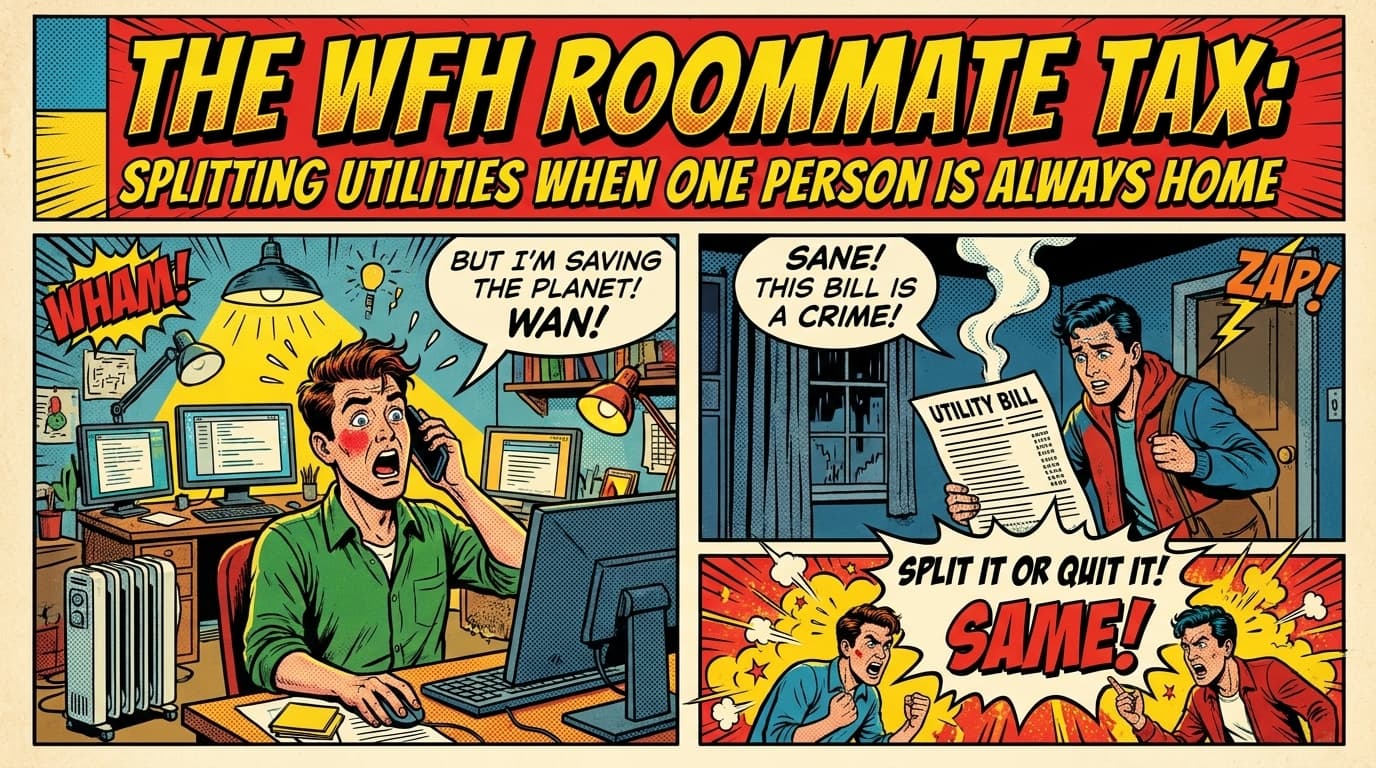
The WFH Roommate Tax: Splitting Utilities When One Person Is Always Home
When one roommate works from home and cranks the AC all day, splitting utilities 50/50 stops being fair. Here's how to adjust the math without making it weird.
April 18, 2026

Roommate Agreement Template (Free, Actually Usable)
A plain-English roommate agreement you can copy, fill in, and sign in fifteen minutes. Covers rent, utilities, chores, guests, and the stuff that causes actual fights.
April 22, 2026

Bigger Bedroom, Bigger Rent? The Proportional Split Explained
When bedrooms in your apartment are very different sizes, an equal rent split stops being fair. Here's how to calculate a proportional split by square footage.
April 23, 2026

My Roommate Won't Pay Their Share. Now What?
Your roommate is dodging rent, utilities, or the grocery bill. Here's the exact playbook, escalation, scripts, legal options, and when to move on.
April 21, 2026
Frequently asked questions
How does Supasplit handle proportional rent?
Set rent up as an expense with a custom split (percentages, shares, or fixed amounts per person). Once it's saved, you can reuse the same split every month in two taps. So if your house agreed on a 40/35/25 split by bedroom size, you set it once and it applies forever.
Can I split utilities by actual usage?
Yes. Use unequal amounts or percentages for each utility bill. A common setup is 60/40 for electric when one roommate works from home, equal for internet, and by-headcount for water. Supasplit remembers the split you used last time for that bill, so month two onwards is basically one tap.
What about shared subscriptions like Netflix?
Add each subscription as an expense and split it across whoever's on the plan. You'll see the running total each month and a clean view of who's contributing to what. Recurring auto-creation for subscriptions is on the roadmap, for now you re-add them monthly (which takes a few seconds per item).
Does it work if one of my roommates has Android?
Not yet. Supasplit is currently iOS-only (in TestFlight beta). An Android app is on the roadmap but not live yet. If your apartment is split across iOS and Android today, Splitwise is the honest recommendation. If everyone's on iPhone, Supasplit is the better daily experience.
How much does it cost?
The free tier covers 3 groups, 1 AI receipt scan per month, and 1 voice expense per month, which is enough for a lot of small apartments. Supasplit Plus is $3.99/mo billed annually ($49.99/year) or $4.99/mo billed monthly, and removes every limit. There's a 7-day free trial on Plus.
Is Supasplit better than Splitwise for roommates?
For iOS-only apartments, yes, in our view. The AI receipt scanner is free and reads line items (Splitwise's is OCR-only and paywalled), there are no ads on the free tier, and the interface feels like a modern iOS app. Splitwise still wins if your roommates use Android or you need web access for monthly balance checks.

One app. Every shared bill. Zero awkwardness.
Set up your apartment in 5 minutes. Free forever for small groups or $3.99/mo for unlimited everything.